





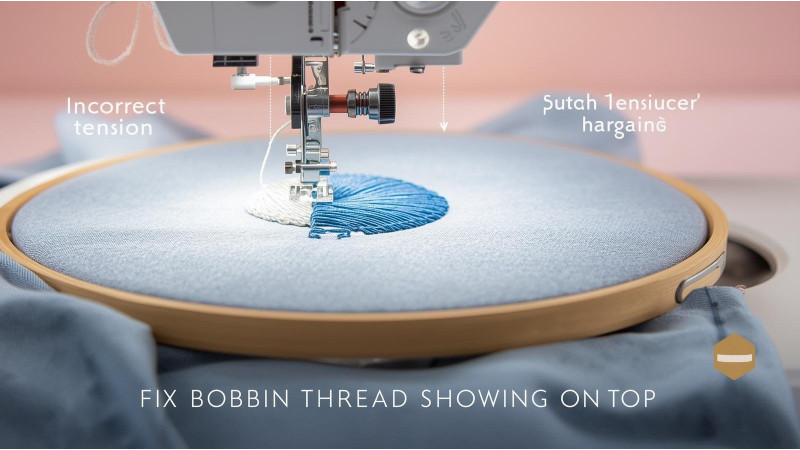
Bobbin Thread Showing on Top: Tension, Density, and Design Fix
Seeing white bobbin thread appear on top of your embroidery design is one of the most frustrating issues for embroiderers. This problem happens when the balance between the top thread and bobbin thread is disrupted. Fortunately, most causes are simple to diagnose and easy to fix when you understand proper tension, density, and machine setup.
For a quick visual overview of tension imbalance, check this helpful video: Bobbin Thread Showing on Top (YouTube Guide).
Why Bobbin Thread Shows on Top
Bobbin pull-up happens when the top thread cannot form a proper lock stitch. Common causes include:
- Top tension too tight
- Bobbin tension too loose
- Incorrect thread path or threading mistake
- Stitch density too high
- Poor underlay or digitizing errors
- Wrong needle or damaged needle
- Unbalanced design with heavy fills
1. Check and Correct Your Thread Tension
Most bobbin thread visibility problems come from incorrect tension settings. Madeira’s official guide provides a helpful overview of proper tension behavior: Madeira: Adjusting Thread Tension.
For detailed bobbin tension adjustment based on technical testing, see: Candle Thread USA: Bobbin Thread Showing on Top.
Signs Your Top Tension Is Too Tight
- White bobbin thread visible on top
- Thread breaks or shredding
- Fabric puckering
Fix
- Loosen top tension slightly (¼ turn at a time).
- Ensure the thread is seated properly in tension discs.
- Re-thread both top and bobbin assemblies completely.
Check Machine-Specific Notes
For Brother machines, refer to their tension troubleshooting guide: Brother Support – Thread Tension Issues.
2. Bobbin Tension Problems
If loosening the top tension doesn't help, your bobbin tension may be incorrectly set. Echidna’s maintenance guide explains how top and bobbin tension work together: Echidna: Thread Tensions Overview.
For expert-level troubleshooting, follow: Embroidery Legacy: Bobbin Thread Fix.
Signs Bobbin Tension Is Too Loose
- Bobbin thread easily pulls out
- Large loops on the underside
- White bobbin popping up on the top layer
Some embroiderers also reference community troubleshooting: Reddit: Bobbin Thread Discussion.
3. Poor Digitizing: Density & Underlay Problems
Even perfect tension won’t fix poor digitizing. MaggieFrame gives a clear explanation of why bobbin thread appears when designs are too dense: MaggieFrame: Bobbin Thread Showing Fix.

Common Digitizing Mistakes
- Fill density too high (adjust to 0.40–0.45)
- No underlay or incorrect underlay
- Short stitch lengths causing extreme tension
- Design overlaps pulling the fabric inward
Fixes
- Reduce density, especially on satin columns over 6 mm.
- Add edge-run or zigzag underlay for stabilization.
- Avoid excessive overlap of fill areas.
Additional resource for troubleshooting: LindeeG: Bobbin Thread Troubleshooting.
4. Needle Problems
- Bent needles cause tension imbalance
- Wrong needle type changes thread flow
- Burrs or scratches cut thread prematurely
Fix
- Replace the needle every 6–8 hours of stitching.
- Use the correct size (75/11 for most projects).
- Use ballpoint/jersey needles for stretchy fabrics.
5. Incorrect Thread Path or Threading Errors
One skipped guide can dramatically tighten the thread causing bobbin pull-up. Check:
- Thread fully seated in the tension plates
- Presser foot was UP while threading
- No lint in tension discs
Conclusion
Bobbin thread showing on top is almost always a tension or density issue — and the good news is it’s easy to fix. By balancing tension, adjusting density, correcting digitizing, and ensuring proper threading, you can eliminate white bobbin pops and achieve clean, professional embroidery results.
Related Products

Leave a comment