





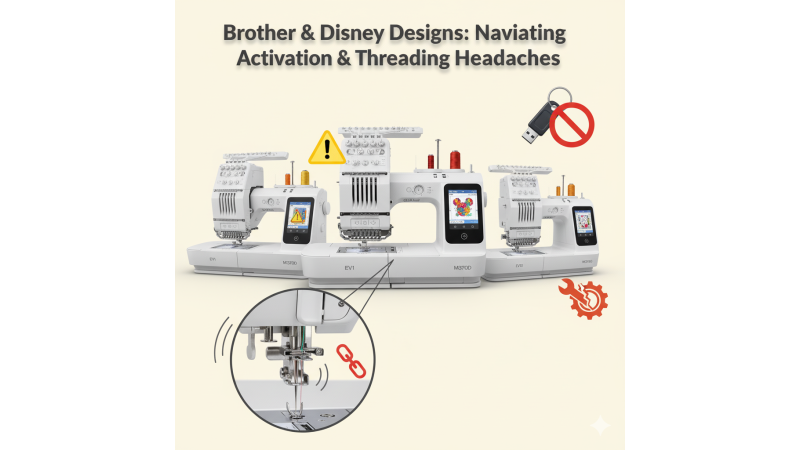
 Brother NQ3700D / EV1 / M380D / M370: Disney Design Activation Issues and Weak Automatic Needle Threader Troubleshooting
The Brother NQ3700D, EV1, M380D, and M370 embroidery machines are popular models for users who frequently work with Disney and other licensed designs. These machines are reliable for home embroidery projects, but many users experience problems related to Disney design activation key errors and weak automatic needle threader performance. This guide explains the causes, solutions, and preventive tips to help you avoid interruptions while working on your embroidery projects.
Understanding Disney or Licensed Design Incompatibility
Brother embroidery machines that support Disney designs often require an activation key or software-based license. Users may face problems such as:
- Disney designs not loading on the machine screen
- Error messages indicating invalid or expired activation keys
- Designs purchased from third-party websites not being recognized
- Machine rejecting files due to incorrect hoop size or format
To ensure proper compatibility, always verify file format, hoop size, and activation requirements before transferring designs. You can find verified Brother-compatible designs at:
- embdesigntube.com
- Brother Embroidery Designs on EmbDesignTube
- 160x260mm Embroidery Designs
- Designs for Brother M380D and M370
Common Reasons for Activation Key Failure
Disney design activation issues can occur due to the following reasons:
- Incorrect activation process during setup
- Machine not connected properly during activation
- Use of an activation key meant for a different model
- Corrupt or outdated machine firmware
- Transferring designs through incompatible software
If the problem persists, refer to Brother’s official support documentation:
Brother Official Support – Embroidery FAQ
How to Fix Disney Design Activation Errors
- Confirm that the activation key belongs to your exact model.
- Install any pending firmware updates on your machine.
- Register your Brother machine online before activating the design package.
- Use a USB stick formatted in FAT32 to avoid corrupted file transfers.
- Ensure the design size matches your machine’s hoop capacity.
For Brother-compatible embroidery machines and detailed model information, visit:
Brother Single Head Embroidery Machines
Weak Automatic Needle Threader on Brother NQ3700D / EV1 / M380D / M370
A weak or non-functional automatic needle threader is another frequent issue. This typically happens due to misalignment, damaged threader hooks, or tension variations. Users often report that the threader fails to pull the thread through the needle or requires repeated attempts.
Causes of Needle Threader Weakness
- Threader hook bent due to manual force
- Using thicker or specialty threads not suitable for the threader
- Lint buildup around the needle and threader mechanism
- Incorrect needle height after a replacement
Solutions for Needle Threader Problems
- Replace the needle with a new one and ensure it is fully inserted to the highest position.
- Clean the needle area with a small brush to remove lint.
- Avoid using metallic threads with the automatic threader; thread manually instead.
- Check whether the threader hook appears bent and consult a technician if needed.
Best Practices to Prevent Future Issues
- Always verify that the design size matches your machine’s hoop capacity. Refer again to 160x260mm design collection for compatible formats.
- Use officially supported design formats to avoid machine rejection.
- Keep your machine firmware updated to support new fabric types and designs.
- Manually thread metallic threads to prevent threader damage.
Conclusion
The Brother NQ3700D, EV1, M380D, and M370 are excellent embroidery machines for everyday creative work, especially with Disney and licensed designs. However, issues such as activation key errors and weak automatic needle threaders can interrupt your workflow if not handled properly. By following the troubleshooting steps and compatibility guidelines outlined in this article, you can keep your machine performing at its best.
For high-quality embroidery designs compatible with these Brother models, explore:
Related Products

Leave a comment