





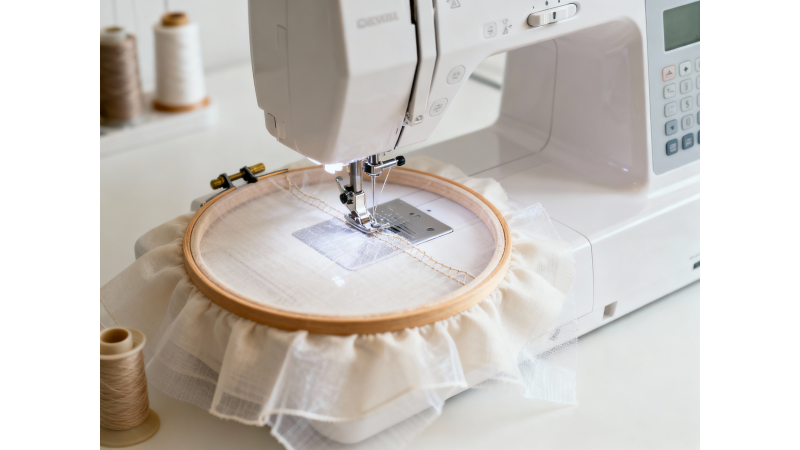
Design Too Dense for Thin Fabric? How to Adjust Without Distortion
Embroidery on thin fabrics such as rayon, viscose, chiffon, cotton lawn, and lightweight knits often leads to distortion when the design is too dense. Excessive stitches can cause puckering, wrinkling, fabric tunneling, and misshaped outlines. The good news is that you can adjust designs—whether purchased or self-digitized—to stitch cleanly on delicate materials without compromising quality. For deeper insight on digitizing for thin fabrics, see resources like Impressions Magazine.
Why Dense Designs Distort Thin Fabric
Thin fabrics cannot hold heavy stitch counts or aggressive underlay. When the needle penetrates too many times in a small area, the material stretches and shifts. This leads to issues explained in guides from Echidna Sewing, such as:
- Puckering around satin or fill areas
- Fabric bunching underneath stitches
- Thin lines sinking into the fabric
- Misshaped outlines due to push and pull
- Wrinkles that stay even after pressing
How to Check If a Design Is Too Dense
Before stitching, evaluate your design using these indicators. You can also refer to density explanations from Royal Present Embroidery for more visual examples:
- Stitch density below 0.35 mm for satin or 0.40 mm for fill is too dense for thin fabric.
- Too much underlay (edge-run + zigzag + fill underlay together).
- Large objects filled with high density.
- Multiple overlapping layers of fill stitches.
- Small text with tight satin columns under 2 mm wide.
Best Ways to Adjust Density for Thin Fabrics
1. Reduce Stitch Density
Adjust satin density to 0.40–0.45 mm and fill density to 0.45–0.50 mm. This instantly reduces stress on the fabric while maintaining coverage. Additional density advice can be found at Digitizing USA.
2. Remove Excess Underlay
Thin fabrics generally need only one underlay type. Recommended options—also supported in Cre8iveSkill’s underlay guide—include:
- Satin: Use only edge-run or zigzag, not both.
- Fill: Use only a light tatami underlay.
Too many underlay layers are one of the biggest causes of distortion.
3. Increase Pull Compensation Slightly
Light fabrics stretch easily. Setting 0.1–0.2 mm extra pull compensation prevents outlines from sinking or shrinking inward. More about push & pull effects is available at Embroidery Embrace.
4. Adjust Stitch Length
Increase stitch length in fill areas to reduce perforation. Longer stitches reduce stress on the fabric and help maintain smoothness.
5. Avoid Heavy Satin Columns
Replace thick satin columns (above 7 mm width) with low-density fill stitches. Wide satin is too heavy for thin materials.
6. Use a Layer of Water-Soluble Stabilizer on Top
This prevents stitches from sinking into soft fabrics like knits and rayon. Pair it with a cut-away stabilizer underneath for best results.
7. Use the Right Stabilizer Underneath
Thin fabrics require strong yet flexible backing. The best choices include no-show mesh and lightweight cut-away. Stabilizer balance recommendations can also be found at Royal Present Embroidery.
8. Test-Sew With a Density Preview
Always sew a test on a scrap piece of the same fabric. Some digitizing software includes a virtual density preview that highlights hotspots before hooping.
How to Fix Purchased Designs That Are Too Dense
If you downloaded a design and cannot edit each object, apply these adjustments. Many professional digitizers, including DigiTemb, recommend:
- Use density reduction or stitch thinning tools in your software.
- Remove one layer of overlapping fills if possible.
- Convert thick satin areas to fill manually.
- Use a stabilizer sandwich: cut-away underneath + water-soluble on top.
- Slow the machine speed by 15–20% to reduce fabric pulling.
When to Avoid Thin Fabric Entirely
Some designs are simply not suitable for delicate materials. Industry experts advise avoiding thin fabric for:
- Large filled areas with high density
- Heavy 3D or puff effects
- Multiple layers of appliqué
- Very small text with thick satin stitches
Final Tips for Clean Results
- Hoop fabric tightly—looseness causes distortion immediately.
- Use temporary spray adhesive to prevent shifting.
- Trim stabilizer carefully to avoid stretching the fabric.
- Choose lighter digitizing styles for soft, airy fabrics.
Conclusion
Adjusting density, underlay, stitch length, and pull compensation is the key to stitching clean designs on thin fabrics without distortion. For deeper digitizing knowledge, explore helpful resources like Embroidery Embrace and Cre8iveSkill. With thoughtful digitizing and the right stabilizer, even delicate materials can hold beautiful embroidery while maintaining their natural drape.
Leave a comment