





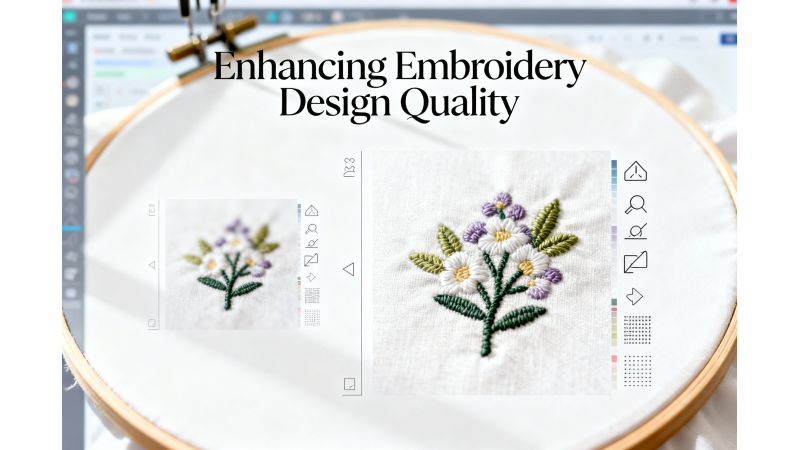
“Design Too Small to Read” — How to Increase Detail Without Overdensity
Small embroidery designs and tiny lettering often become unreadable because the stitches collapse into each other or lose clarity. Many embroiderers attempt to increase detail by adding more stitches, but this usually creates overdensity, thread breaks, and poor stitch results. The key is to balance size, density, and stitch type to maintain clarity without damaging fabric or the design.
This guide explains why small designs lose detail and how to improve clarity using correct digitizing techniques, resizing methods, and density adjustments.
Why Small Embroidery Designs Become Hard to Read
When a design is reduced below its optimal size, several issues occur:
- Satin stitches become too short to form clean shapes.
- Density increases automatically, making the design heavy.
- Strokes in small letters blend together.
- Underlay becomes too tight for the reduced area.
A detailed overview of stitch density challenges can be found here: Stitch Density in Embroidery Digitizing.
The Real Cause: Density and Stitch Type Limitations
Most small design problems come from using the wrong stitch type at a reduced scale. Satin stitches under 1.5 mm stop forming correctly. Fill stitches may become too dense and stiff. Running stitches may lose visibility.
A helpful explanation of density behavior is available at Echidna Sewing – Understanding Density.
How to Increase Detail Without Overdensity
1. Switch stitch types instead of shrinking satin stitches
For small letters or narrow shapes, use a running stitch or micro-satin instead of a standard satin stitch. This prevents distortion and keeps the design readable.
Guidance on digitizing small letters is provided here: Digitizing Small Letters for Embroidery.
2. Reduce density when decreasing size
When resizing a design, the density automatically increases because stitches pack closer together. Always adjust density downward to match the new size.
Useful resizing tips can be found on the Kimberbell blog: Resizing Without Losing Quality
3. Recalculate stitches instead of stretching them
Machines and basic software may scale designs without recalculating stitch count, which leads to distorted shapes. Use professional tools that regenerate stitches properly.
Brother provides official guidance on resizing settings: Brother – Change Size and Density
4. Use software tools specifically designed for resizing
Programs like Embird, Wilcom, or Hatch can resize while maintaining uniform density and proper underlay.
Learn more about resizing with Embird here: Embird Resizing Tutorial
5. Use micro lettering rules for very small text
If your text is below 5 mm, follow these rules:
- Use running stitch or micro-satin.
- Avoid tight curves and thin strokes.
- Increase spacing between letters slightly.
- Simplify shapes rather than scaling everything down.
For expert embroidery design techniques, you may review: Zdigitizing – High Quality Design Tips
Signs Your Design Is Too Dense
- Thread breaks frequently
- Hoop marks or fabric distortion
- Machine slows down at certain areas
- Stitches overlap excessively
- Design feels stiff to touch
How to Prevent Overdensity in the Future
- Avoid shrinking intricate designs below their recommended size.
- Use the correct underlay for small details.
- Choose running stitch outlines instead of satin for micro shapes.
- Test sew small designs before production.
- Download well-digitized files from reliable sources such as EmbDesignTube.
Helpful Video Guide
Here is a detailed visual explanation on handling density and small lettering: YouTube – Small Design Stitch Techniques
Conclusion
If your embroidery design is too small to read, the solution is not to add more stitches, but to optimize density, choose the right stitch type, and resize properly using recalculated stitches. With the correct digitizing methods, even small designs can look clean, sharp, and professional.
For high-quality embroidery designs optimized for clarity, explore EmbDesignTube.com.
Related Products

Leave a comment