





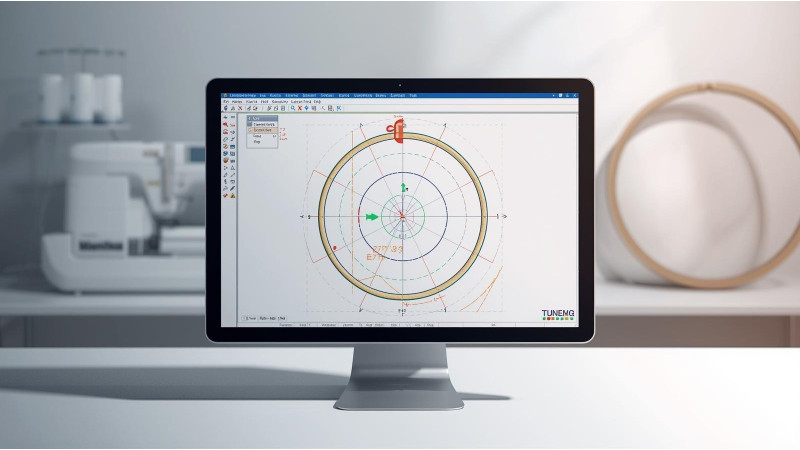
Embroidery Design Not Centering in the Hoop: Fixing File Origin
If your embroidery machine keeps stitching designs off to the left, right, top, or bottom instead of the center of the hoop, the problem is usually the file origin or start point. This means the design was digitized with an incorrect coordinate center. Even if your fabric is hooped perfectly, the machine will position the design based on the hidden origin stored inside the file.
This guide explains the causes of off-center embroidery designs and how to correct the file origin in different software and machines.
1. The File Origin Was Not Set to True Center
Digitizing software assigns a start point and origin to every design. If the origin is not placed exactly at the center, the machine will not stitch in the middle of the hoop.
Many designs purchased from third-party sources may look visually centered but contain incorrect internal origin data.
2. The Start Point Is Too Close to the Edge
Digitizers sometimes set the first stitch at one corner of the design. When this happens, the machine recalculates the placement based on that position instead of the geometric center.
3. Your Machine Has Its Own Centering Offset
Some machines, especially multi-needle models, use custom calibration settings that can shift designs if adjusted incorrectly. Resetting or recalibrating can fix this.
4. The Design Preview Looks Centered, but the Machine Reads It Differently
What you see on your computer is based on the design artwork, not the stitch coordinate layout. Machines read coordinates, not visuals. If the design was not properly normalized before saving, it will always stitch off-center.
5. The Hoop Size or Frame Setting Is Wrong
If your software or machine is set to a different hoop size than the one you are physically using, the design can appear shifted. Matching hoop settings in both the software and the machine eliminates this problem.
6. You Are Relying on Fabric Center Marks Instead of Machine Center
Hooping the fabric slightly crooked will not cause major placement problems, but relying only on fabric marks without using the machine’s trace or center check may lead to misalignment.
7. The File Was Edited or Converted Incorrectly
Opening a PES, JEF, VP3, or DST file in certain apps can shift its internal coordinates. Even a simple resize operation can break the original center point. Always re-center before saving.
How to Fix a Design That Does Not Center Properly
Method 1: Re-Center in Digitizing Software
Most digitizing software has a simple Center to Hoop or Center Design command. Use this before exporting.
Examples:
- Hatch: Set Start and End Points
- Melco: Centering Designs
Method 2: Use Your Machine’s Built-In Center Correction
Many machines allow you to manually move the design’s starting point using the arrow keys before stitching. This does not fix the file permanently but helps for quick jobs.
Method 3: Re-Save the Design from Updated Software
If the design was created in outdated software or converted using a low-quality tool, opening it in Hatch, Embrilliance, or Wilcom and pressing Center Design often fixes the origin immediately.
Method 4: Use the Trace Function
Always run a trace before starting. The trace will show exactly where the machine thinks the design starts. If the outline runs outside the hoop, you know the origin is incorrect.
Method 5: Re-Download the File
If the original file is corrupted or incorrectly saved, the easiest fix is to download a fresh copy from the source.
Helpful Video Demonstration
Watch this video to understand how centering works and how to correct file alignment issues:
Conclusion
When an embroidery design refuses to stitch in the center of your hoop, the problem almost always comes down to an incorrect file origin or start point. By recalibrating your machine, correcting the design in digitizing software, matching hoop sizes, and verifying the trace, you can permanently fix centering problems and ensure perfect alignment every time.
Related Products



Leave a comment