





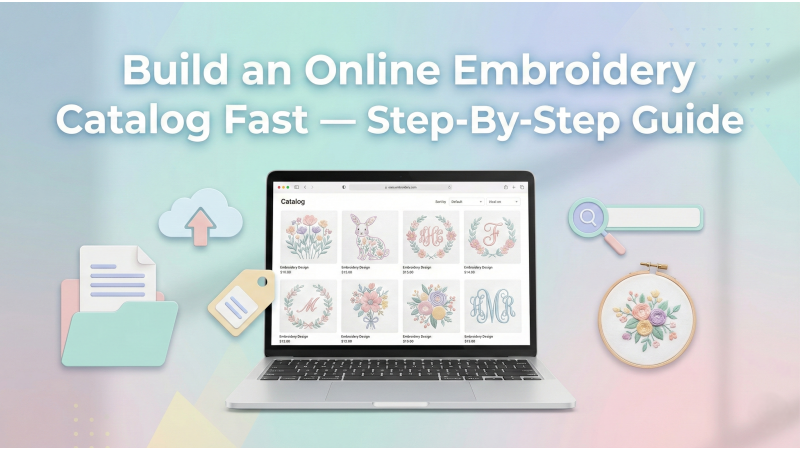
How to Build an Online Catalog of Embroidery Designs Fast
Creating an online embroidery catalog is like building a digital gallery where your stitches speak before you do. When customers scroll through your designs, they should feel clarity, consistency, and creative order. With a structured system, modern tools, and strategic linking, you can create a catalog that loads quickly, looks premium, and helps customers find exactly what they want.
If you're just starting to create your own patterns, you may also enjoy exploring guides like Hatch Embroidery’s design creation resources and Domestika’s free pattern-making tools list, which offer inspiration and practical techniques for beginners and professionals alike.
1. Start by Organizing Your Embroidery Design Files
Before you upload anything online, your files need structure. A well-organized design library becomes the backbone of your online catalog. Group everything cleanly so your upload workflow becomes effortless and repeatable.
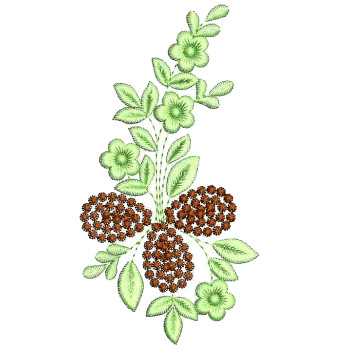
- Floral Embroidery Designs
- Kidswear Motifs
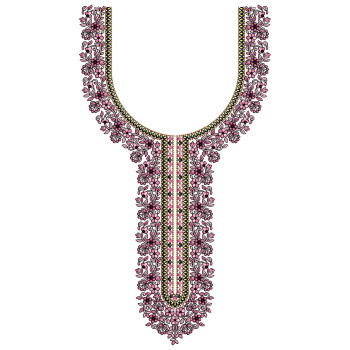
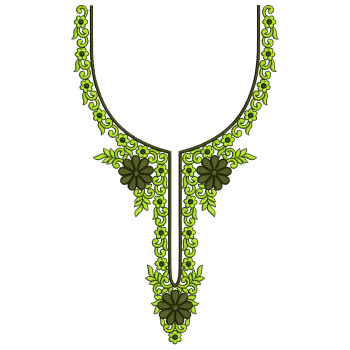
- Neckline Designs
- Daman & Border Designs
- Logo, Monogram & Patch Designs
- Mini Motifs
- Format folders (DST, PES, EXP, JEF, VP3, XXX, HUS)
If you’re new to digitizing your own designs, tutorials such as this YouTube walkthrough on digitizing fundamentals can help you understand the structure and file preparation process in a more hands-on way.
2. Prepare High-Quality Preview Images
Preview images are the storefront windows of your embroidery business. Crisp visuals build trust, and consistency gives your brand a signature identity. Think of each preview as a silent salesperson guiding customers through your creative universe.
- Use a uniform preview size (1000×1000 or 1280×720 px)
- Maintain a clean, consistent background
- Keep lighting and color contrast even
- Avoid cluttered text or unnecessary decorations
If you're exploring modern embroidery styles, the Printful guide on custom embroidery design creation offers excellent insights into preparing clean visuals suitable for online stores.
3. Write SEO-Friendly Titles and Descriptions
Customers and search engines both rely heavily on your titles. Keep them clean, descriptive, and keyword-rich. Your descriptions should answer the questions customers haven’t even asked yet.
SEO Title Examples:
- Floral Neckline Embroidery Design for Kurtis – 2025 Collection
- Kids Cartoon Embroidery Pattern for T-Shirts – High-Quality Digital File
- Elegant Border Embroidery Pattern for Sarees – DST & PES Included
If you're experimenting with creating your own digitized patterns before uploading, reference guides like this video tutorial on modern digitizing techniques.
4. Batch Upload Your Designs
Uploading files one by one can feel like pushing grains of sand uphill. Modern platforms allow batch uploads that save extraordinary amounts of time. Whether you use Shopify, WooCommerce, Etsy, or a custom storefront, take advantage of bulk-import tools and spreadsheet-based product loading.
Artists exploring customized workflows also find inspiration in videos such as this guide on creating digital-ready embroidery artworks.

5. Add Tags and Filters for Faster Browsing
Tags serve as little lanterns lighting up different paths across your catalog. They help customers find related designs quickly and keep them engaged longer.
- #Floral
- #KidsEmbroidery
- #NeckDesigns
- #MachineEmbroidery
- #BorderDesigns
- #MonogramPatterns
To sharpen your creativity while tagging and categorizing designs, you may also explore this advanced embroidery design workflow tutorial, which shows how professional creators structure design sets.
6. Link and Cross-Link Your Designs
Internal linking is one of the quiet superpowers of a successful catalog. It improves SEO, increases browsing time, and inspires customers to explore more of your collection.
Smart Cross-Link Ideas:
- “More Floral Designs in This Category”
- “Matching Borders for This Neckline”
- “Customers Also Purchased These Mini Motifs”
If you prefer creating your own artwork for linked categories, resources like Printful's embroidery design creation guide can help streamline your process.
7. Update Your Catalog Every Week
A catalog is a living creature. It thrives when fed regularly. Fresh uploads signal to buyers—and search engines—that your shop is active. Upload seasonal sets before holidays, refresh old previews, and constantly expand your bestselling categories.
For creators exploring fresh design inspiration, check out detailed digitizing tutorials or try creative-tools roundups like Domestika’s pattern-making tools list to diversify your catalog style.
Conclusion
Building an online embroidery catalog doesn’t need to feel overwhelming. With structured organization, consistent visuals, SEO-driven descriptions, and weekly updates, you can craft a digital library that reflects your creativity—and converts visitors into customers. The more thoughtfully your catalog is built, the easier it becomes for shoppers to wander through your designs with confidence and delight.
If you're exploring embroidery creation from scratch, you may also enjoy tools like
Domestika’s free pattern resources,
or workflow-focused videos such as
this digitizing tutorial,
helping you bring new ideas into your catalog faster.
Leave a comment