





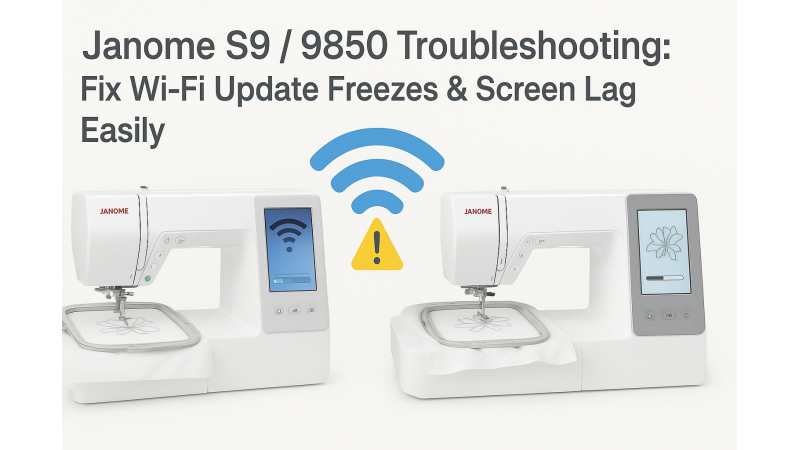
Janome S9 / 9850 Wi-Fi Drop, Update Failure & Screen Freeze Fix – Complete Troubleshooting Guide
If your Janome S9 or 9850 embroidery machine keeps losing Wi-Fi connection during updates, fails to complete firmware installation, or freezes in the middle of stitching, you’re not alone. Many users experience these issues, especially when the machine’s connection is unstable or its internal memory becomes overloaded. Real user cases show similar symptoms, such as those described in this Janome S9 update problem report, where update processes stop unexpectedly due to errors in communication.
Touchscreen unresponsiveness is another frequent complaint, similar to issues described here: Skyline S9 screen freeze troubleshooting. These problems often trace back to firmware bugs, Wi-Fi instability, or corrupted design files.
Before diving into fixes, you can also watch a visual breakdown of common Janome S9 update failures and recovery steps, shown in this helpful walkthrough: Janome S9 update troubleshooting video.
Why the Janome S9 / 9850 Freezes or Loses Wi-Fi
These issues usually happen due to:
- Unstable or weak Wi-Fi signal
- Outdated or partially installed firmware
- Too many devices connected to the same network
- Corrupted embroidery files stored on the machine
- Machine memory overload during large design processing
- Communication interruptions during software syncing
Many beginners also face difficulty matching hoop sizes or loading large designs. If you're working with larger hoops like 300x230mm for Usha/Janome machines, you may find related design categories such as the 300x230mm Janome design collection helpful for test-stitching and calibration.
Step-by-Step Fixes for Wi-Fi Drop & Update Failure
1. Use Stable Wi-Fi During Updates
If your updates fail repeatedly, switch to a stronger Wi-Fi or temporarily move the machine closer to the router. For many users, updating via USB is more reliable—especially when the Wi-Fi keeps disconnecting.
2. Restart Your Router & Reduce Network Load
Too many devices connected at the same time can weaken signal strength. Restart your router and disconnect unused devices before updating your Janome machine.
3. Turn Off Automatic Sync Apps
Apps like AcuMonitor or AcuDesign may interfere with communication during updates. Disable them temporarily.
4. Power-Cycle to Clear Machine Cache
Internal memory overload is a known cause of screen lag and freezing. Turn the machine OFF, wait for 2–3 minutes, then restart. This clears cached temporary files and improves responsiveness.
5. Perform a Firmware Refresh (If Needed)
If your machine is stuck repeatedly, follow the official update recovery steps shown in the JustAnswer case above. A clean firmware reinstall often resolves UI freezes and network issues.
6. Factory Reset (Last Option)
If all else fails, back up your designs and perform a factory reset. This removes corrupted settings that may be causing freezing or connection errors.
Fixing Embroidery File Compatibility Issues
The S9 and 9850 both perform best when fed optimized, clean design files. Using poorly digitized designs can increase memory load and cause lag. For smoother stitching, you can explore compatible, machine-tested embroidery files like the Janome 9850 embroidery design collection, which ensures correct stitch density and color sequencing.
Similarly, if you also work with Usha/Janome models, collections such as the Usha-Janome compatible designs provide reliable stitch output without machine lag.
Additional Advanced Tips
Here are some pro-level suggestions for consistent performance:
- Delete old or unused designs from internal memory to free up space.
- Use smaller USB drives (4GB–8GB) formatted to FAT32 for better read/write stability.
- Avoid running the machine near microwaves, repeaters, or high-interference devices.
- Restart the machine after loading large or layered designs.
- Check hoop compatibility to avoid error loops during stitching.
Explore More Troubleshooting Help
If you’d like to keep a collection of your previous troubleshooting notes or revisit solutions, you can maintain your progress using tools like your saved sessions
Conclusion
With stable Wi-Fi, proper firmware updates, cleared cache memory, and optimized embroidery design files, your Janome S9 / 9850 can return to flawless operation. These intelligent machines are built to perform, and with the right care, they will deliver smooth, professional-quality results without freezing or losing connection.
Keep experimenting, keep stitching, and let your creativity shine—your machine is ready for it!
Related Products





Leave a comment