





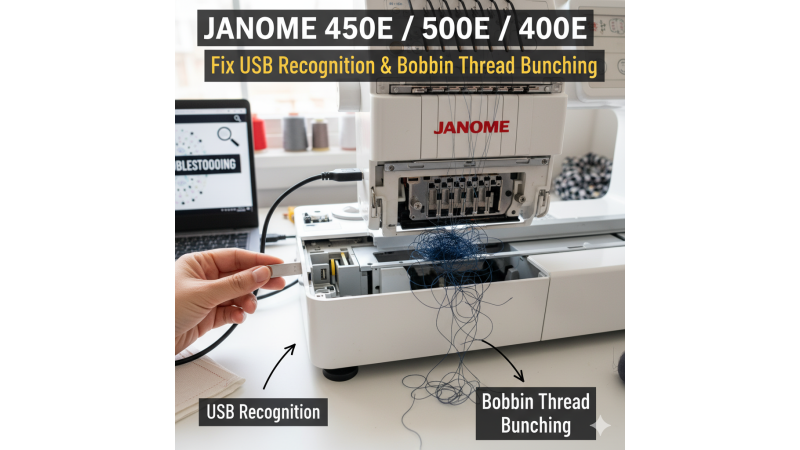


Janome 450e / 500e / 400e Troubleshooting: Fix USB Recognition & Bobbin Thread Bunching
The Janome 450e, 500e, and 400e are highly reliable embroidery machines, but many users commonly face two major problems — USB not recognized and bobbin thread bunching. These issues often appear during long stitching projects or when loading new designs. This detailed guide explains the causes and provides step-by-step solutions to help you get your machine running smoothly again. For additional practical usage tips, you can also explore expert Janome 450e usage recommendations.
1. USB Not Recognized on Janome 450e / 500e / 400e
USB reading issues usually occur due to improper formatting, unsupported design formats, or an incompatible USB drive. Watching demonstration videos like this Janome USB troubleshooting tutorial or this detailed USB fix guide can help you understand the process visually.
How to Fix USB Recognition Issues
- Use a USB drive of 8GB–16GB (smaller drives work best for Janome models).
- Format the USB in FAT32 format only.
- Create a folder named EMB and keep your JEF files inside it.
- Use .JEF format exclusively, as Janome machines do not read PES, DST, or other formats.
- Avoid using special characters like %, &, # in file names (use only A–Z, 0–9).
- Delete any corrupted or 0KB design files.
For official guidance on machine-related errors, you can also refer to the Janome Troubleshooting Support Page.
2. Bobbin Thread Bunching on Janome 450e / 500e / 400e
Bobbin thread tangling or looping happens when bobbin tension is unbalanced, the thread is incorrectly placed, or the bobbin case has dust accumulation. This is one of the most frequent issues among beginners. You may also watch this helpful video showing bobbin tension troubleshooting for additional clarity.
How to Fix Bobbin Thread Bunching
- Clean all lint and dust inside the bobbin case carefully using a small brush.
- Ensure the bobbin is wound smoothly with consistent tension.
- Use 100% original Janome bobbins to avoid size mismatch.
- Re-thread the top path completely — most thread bunching issues start from incorrect upper threading.
- Use a stabilizer suitable for your fabric type.
- Ensure the bobbin thread is placed correctly through the tension spring.
If your thread keeps wrapping around the bobbin or jamming frequently, you may find this user discussion helpful: Thread wrapping around bobbin — expert answers.
3. Best Practice: Use Properly Digitized Embroidery Designs
Improper or poorly digitized designs often cause the machine to reject USB files or create looping on the backside. To avoid this, always use clean and density-balanced JEF files that are specifically optimized for Janome machines.
If you need ready-to-stitch, Janome-compatible designs, explore:
- Usha Janome Embroidery Design Collection
- 280mm x 180mm Hoop Compatible Designs
- 200mm x 200mm Hoop Designs
- 280mm x 200mm Large Hoop Designs
These collections contain machine-friendly JEF files that load smoothly without conversion issues.
4. Extra Tips for Smooth Machine Performance
For additional machine handling efficiency, you may also watch this helpful demonstration: Janome embroidery machine handling guide.
Using proper hoop size, stabilizer, and tension settings ensures the machine runs uniformly without unnecessary strain. Keeping the bobbin area clean and frequently checking your USB drive health also improves long-term performance.
5. Quick Final Checklist
- USB formatted in FAT32
- Design files stored inside an EMB folder
- No special characters or long names in file titles
- Re-thread the top thread carefully
- Clean the bobbin area regularly
- Use high-quality stabilizers for every project
- Use properly digitized JEF designs for Janome machines
By following this extended troubleshooting guide, you can easily solve USB loading errors, thread bunching issues, and improve the overall performance of your Janome 450e, 500e, or 400e machine. With correct setup and proper design files, your embroidery experience will remain smooth, precise, and stress-free.
Related Products





Leave a comment