





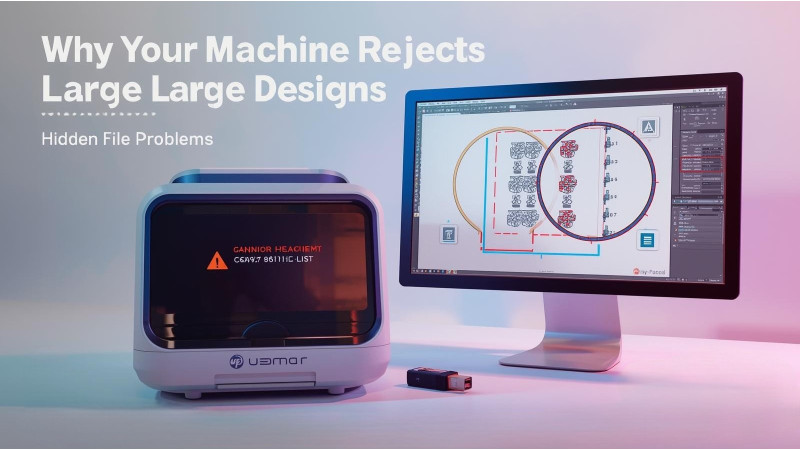
Why Your Machine Rejects Large Designs — Hidden File Limit Problems
Many embroidery users face a frustrating problem: the machine refuses to read or load a large design even when everything looks correct. You may see errors like “Cannot Read File,” “Unknown File,” “Data Error,” or the design simply not appearing on the screen. These issues often happen because of hidden limitations on file size, stitch count, color blocks, or unsupported formats.
This guide explains why embroidery machines reject large designs and how to fix these file limit problems. All solutions are beginner-friendly and work across most popular brands.
1. Your Machine Has a Maximum File Size Limit
Most home and semi-industrial embroidery machines cannot read very large files. Even though the USB or memory card supports big files, the internal processor of the machine does not. This makes the machine reject designs that exceed its internal file handling capacity.
Some machines only read files up to a specific megabyte limit. Others restrict the total number of stitches or color changes. If your design is too detailed or too heavy, the machine ignores it completely.
For general reference on embroidery file behavior and format handling, you can review guides at Impressions Magazine which explain how different file formats affect machine compatibility.
2. Stitch Count Limitations
Many embroidery machines have maximum stitch limits. For example, some models only allow 50,000 stitches, while others allow 200,000 or more. If your design exceeds this stitch count, the machine will refuse to load it.
Oversized floral patterns, filled logos, mandalas, and 3D designs often surpass these limits. Reducing the stitch count by simplifying fill patterns or removing unnecessary layers can help.
3. Unsupported or Incorrect File Format
Even compatible formats like PES, DST, EXP, and JEF can cause problems when exported incorrectly. A file saved in the wrong version of PES, for example, may cause errors in older machines. Some machines cannot read designs created in newer software versions.
The article by Brother Canada describes common format recognition issues and offers steps to troubleshoot them. You can read more on their support page here: Brother Support.
4. Your Hoop Size Does Not Support the Design
If the design is larger than the machine’s assigned hoop size, it will be rejected. Even if you own a larger hoop, the machine may not be able to process designs beyond its built-in stitching field.
You must resize the design correctly rather than relying on the machine to fit it automatically. Incorrect resizing can corrupt the file or distort stitch paths.
5. File Corruption During Saving or Transfer
Files can become corrupted when downloaded, resized, or transferred. Even a small corruption makes the machine reject the design instantly. Re-exporting the design from trusted software or re-downloading from the source typically fixes this problem.
Online embroidery forums such as this detailed discussion on design recognition issues: Embroideres Forum.
6. Improper Conversion Using Third-Party Tools
Incorrect file conversion can introduce random color blocks, stitch errors, or missing segments. Some converters do not generate clean data for machines to read, especially for large or complex designs.
7. Your Design Source May Be Too Complex
Certain commercial or free designs contain thousands of color changes, overly dense patterns, heavy fills, or unnecessary underlays. These details increase the size of the file dramatically.
Simplifying the design in embroidery software helps reduce the file size and increases compatibility. You can explore resources at EmbDesignTube for optimized designs and better structured embroidery files that machines easily read.
8. Video Guides For Understanding File Limit Issues
You can watch helpful videos that explain why machines fail to read designs, how file limits work, and how to fix loading problems:
9. How to Fix Large Design Rejection Issues
Step-by-Step Fixes
- Resize the design safely using proper embroidery software.
- Reduce stitch count by lowering density or simplifying fills.
- Split large designs into multiple parts.
- Convert files using reliable software with correct format versions.
- Download designs again if corruption is suspected.
- Ensure the design fits within your hoop’s maximum size.
- Use machine-specific formats exported from updated software.
Conclusion
When embroidery machines reject large designs, the issue usually relates to file limitations the machine cannot process. By understanding file size, stitch count restrictions, and format compatibility, you can easily resolve these problems. With proper resizing, splitting, and format handling, almost any design can be optimized to work smoothly.
For more embroidery troubleshooting and digitized designs, visit: EmbDesignTube.com
Related Products


Leave a comment