





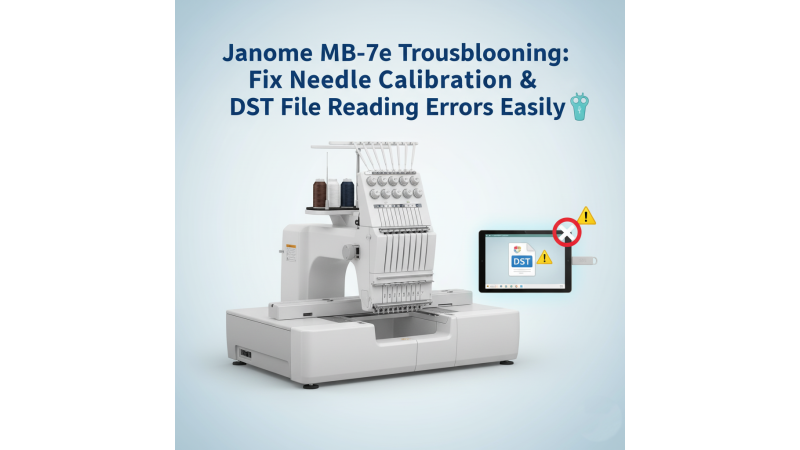

If your Janome MB-7e is showing needle calibration errors during multi-head embroidery or failing to read DST files from external vendors, you’re not alone. These issues are frequently reported by MB-7 and MB-7e operators, especially when working with complex designs or custom-digitized files. For real-world examples of similar problems, you can refer to user cases discussed on platforms like this MB-7 troubleshooting thread, where users experience file-loading and needle-alignment difficulties.
Before performing any adjustments, it’s helpful to understand the original factory process and specifications. You can explore a full machine manual for deeper insights by referring to the official Janome instruction book: Janome MB-7 Instruction Book (PDF). It contains step-by-step positioning, threading, and diagnostic procedures that support accurate calibration.
Fix Needle Calibration Errors
Needle calibration issues occur when the machine’s head movement, needle bar position, or hoop detection becomes slightly misaligned. This can happen from frequent head changes, incorrect hoop mounting, or vibration during heavy stitching. For a detailed walk-through of setup and calibration, you may find tutorials like this MB-7 setup and alignment video useful, as it visually guides you through frame positioning and head correction.
- Check your hoop and frame alignment to ensure the hoop sits flat and locks fully into place.
- Run the built-in Calibration Test from the machine settings to re-align the needle bar, embroidery arm, and hoop centering.
- Verify uniform presser foot height across all heads so the needle bar sensor reads accurately.
For technicians and professionals working with the MB-7, deeper calibration techniques are often covered in advanced articles like those available on this MB-7 professional troubleshooting guide, which explains frame setup, tension control, and workflow optimization.
Fix DST File Reading Problems
DST reading errors are very common on multi-needle machines. Many third-party DST files include commands not supported by the MB-7e. Sometimes, even a simple jump or color-stop misread can cause the machine to refuse loading the file. You can compare your file-loading behavior with demonstrations like this DST-format explanation video, which shows how different embroidery machines interpret commands.
- Remove unsupported commands by opening the DST in any digitizing software and re-saving it cleanly.
- Re-save the file in Janome-friendly formatting using software such as Janome Digitizer or Wilcom. A clear tutorial example showing real DST loading behavior on the MB-7 can be seen in videos such as this MB-7 design-reading demonstration.
- Use short filenames under 12 characters and format your USB drive to FAT32 to avoid read errors.
It’s also recommended to follow structured setup and workflow techniques used in professional embroidery studios. These methods help reduce DST corruption, eliminate color misreads, and prevent command conflicts during stitching.
Conclusion
With proper needle calibration, clean DST formatting, and correct USB preparation, your Janome MB-7e can run smoothly with accurate stitching and minimal downtime. By combining machine-tested calibration methods, professional digitizing practices, and resources like official manuals, expert guides, and instructional videos, you can maintain consistent, trouble-free embroidery performance.
Related Products

Leave a comment