





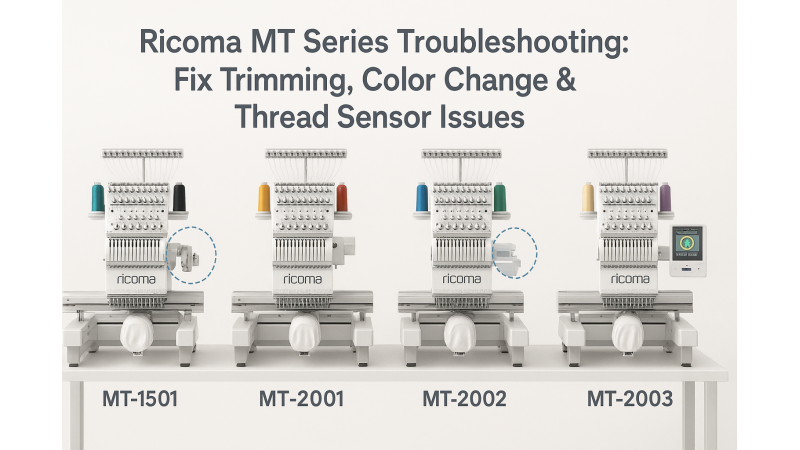

Ricoma MT Series Troubleshooting: Fix Trimming Failures, Color Change Delays & Thread Sensor Misfires
The Ricoma MT Series — including the MT-2001, MT-2002, MT-2003, MT-1501, and MT-1502 — is known for its versatility and power in commercial embroidery production. However, users sometimes experience issues like trimming failures after dense fills, delayed color changes, and false thread sensor triggers. This guide explains why these problems occur and how to fix them effectively.
1. Understanding Trimming Failures After Dense Fills
Trimming failures often happen after designs with heavy or dense fills. The excessive thread tension and fabric resistance may prevent the knife mechanism from completing the trim properly. Ensure that your design is well-digitized for clean trim points and not overly dense in one area.
Check for these possible causes:
- Thread tail too short after dense stitching.
- Knife assembly has accumulated lint or thread residue.
- Improper tension adjustment on upper or lower thread.
- Worn or dull trimmer blade.
To maintain design quality, regularly clean your trimmer and avoid over-dense fill areas in your design files. You can explore optimized Ricoma-compatible embroidery designs that help prevent these issues.
2. Fixing Color Change Delays on Ricoma MT Machines
Color change delays are a common concern with Ricoma MT Series models. The machine might pause or take longer to move between needles, often due to synchronization or servo motor issues.
Recommended steps:
- Recalibrate the color change motor using your Ricoma control panel.
- Check for mechanical resistance or obstruction in the needle bar path.
- Refer to the official Ricoma troubleshooting article here.
If you still face grinding or timeout errors, Ricoma’s video guide on color change motor troubleshooting provides visual assistance for identifying hardware or calibration issues.
3. Solving Thread Sensor Misfires or False Thread Breaks
False thread break detection can stop your production unexpectedly. This usually occurs when the thread passes too lightly over the sensor or when vibration causes inconsistent readings.
Possible solutions:
- Clean the thread sensor area carefully with compressed air.
- Reduce vibration by lowering the speed slightly when stitching heavy designs.
- Ensure that the thread path is smooth and properly tensioned.
- Check Ricoma’s official article on false thread breaks and their related guide here.
4. Design Adjustments for Smooth Machine Operation
Using well-optimized embroidery designs reduces mechanical stress and prevents repeated trimming or thread break errors. Browse these Ricoma-compatible embroidery design collections for balanced stitching and efficient trimming performance:
- Ricoma 500mm x 800mm Designs
- Ricoma 360mm x 520mm Designs
- Ricoma 360mm x 500mm Designs
- Ricoma 450mm x 500mm Designs
- Ricoma 450mm x 400mm Designs
- Ricoma 350mm x 520mm Designs
- Ricoma 210mm x 310mm Designs
- Ricoma 450mm x 480mm Designs
For a complete range of optimized embroidery designs tailored to Ricoma machines, visit EmbDesignTube.com.
Conclusion
Trimming, color change, and thread detection issues are common but manageable in Ricoma MT Series embroidery machines. Regular maintenance, accurate design setup, and using balanced embroidery files can greatly improve production reliability. When in doubt, always refer to Ricoma’s official support resources and use professionally digitized designs for best results.
Related Products



Leave a comment