






Why Perfectly Hooped Embroidery Still Looks Tilted — Real Causes and Professional Fixes
Many embroiderers assume that a crooked final result means poor hooping. In reality, hooping mistakes are far less common than most people think, and real tilt issues usually come from digitizing angles, fabric behavior, machine calibration, or subtle rotation errors. Before blaming the hoop, it is important to understand all hidden factors that influence how stitches land on fabric.
To begin, it helps to understand common hooping mistakes, but this guide focuses on deeper, more technical reasons why embroidery looks tilted even when everything appears aligned. Combined with careful observation and the right digitizing method, you can remove tilt permanently for both small and large production runs.
1. Hidden Micro-Rotation Inside the Digitized Design
Even if a design appears upright on-screen, hidden rotations as small as 0.3° to 1° can make the stitched result look visibly crooked. This often happens when digitizers rotate shapes during pathing or density adjustments and forget to reset the rotation back to zero.
Fix:
- Open the file in your digitizing program.
- Select the entire design.
- Check the rotation field — anything above 0.0° must be corrected.
- Reset rotation to precisely 0.0° before exporting the DST file.
For visual guidance, you can also study rotation corrections through videos such as this rotation troubleshooting tutorial, which helps clarify how tiny angle changes affect stitch alignment.
2. Uneven Fabric Stretch During Stitching
Knits, hoodies, polos, and cap fronts stretch unpredictably during stitching. Even when perfectly hooped, the embroidery machine pulls fabric in specific directions depending on stitch density and speed. Heavy satin columns and dense fill patterns exaggerate this pull, causing the final design to lean left or right.
Common fabrics affected:
- Piqué polos
- Cotton and polyester knits
- Stretch hoodies
- Structured cap panels
You can observe how fabrics react under stitching force in tutorials like this fabric distortion demonstration.
Fix:
- Use cutaway stabilizers instead of tearaway.
- Add temporary adhesive for extra hold.
- Reduce density in heavy regions.
- Apply balanced underlay.
3. Wrong Underlay Direction Pulling the Design Off-Center
Underlay determines how the fabric stabilizes under the top stitches. If the underlay is angled too strongly in one direction, the fabric will pull toward that angle. Even perfectly digitized top stitches cannot correct an unbalanced underlay foundation.
Fix:
- Use center-walk or edge-run underlay for logos.
- Avoid heavy zigzag underlays unless required.
- Distribute angled underlay evenly to prevent directional pull.
A detailed walk-through of underlay issues can be seen in this stitch-foundation tutorial.
4. Machine Axis Calibration Off by 1–2 Degrees
If your embroidery machine’s X/Y axis drifts out of alignment, even the most perfectly digitized and hooped designs will appear rotated. This often occurs after transporting the machine or after years of stitching vibration.
Symptoms:
- All designs tilt in the same direction.
- Straight shapes sew with a slight lean.
- Text appears mildly slanted.
You can compare calibration behavior using videos like this alignment test example.
Fix:
- Run your machine’s X/Y axis calibration test.
- Adjust offsets using the calibration menu.
- If tilt persists, request professional alignment service.
5. Design Not Truly Centered Even When Hooped Perfectly
A design may appear centered visually, but mathematically the center point may be shifted due to accidental nudges during digitizing, auto-centering errors, or unbalanced grouping. When exported to the machine, it starts slightly left, right, up, or down.
Fix:
- Use “Center to Hoop” or “Recalculate Center.”
- Turn on crosshair guides in your digitizing software.
- Ensure the needle’s true center matches the design center before sewing.
6. Fill Stitch Angles Causing One-Sided Pull
Large fill blocks stitched in one direction create strong lateral pull. This causes the left or right side to shrink slightly while the opposite side expands, giving the illusion of a tilted design.
Fix:
- Break large fills into smaller segments.
- Use alternating stitch angles.
- Add proper pull compensation.
Patterns with heavy fill styles — including mandala appliqué, flower vines, or Christmas appliqué — benefit significantly from balanced fill strategies.

7. Garment Panels Not Manufactured Symmetrically
Many garments — including polos, hoodies, kurti panels, and caps — are not sewn symmetrically at the factory. Even a few millimeters of uneven stitching can make embroidery appear tilted, even when mathematically perfect.
Fix:
- Measure the garment panel rather than trusting seams.
- Use the visual center instead of seam alignment.
- Ignore neck or shoulder seams if they are uneven.
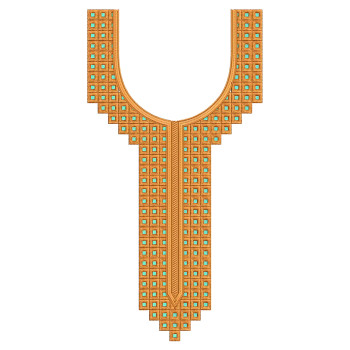
You can explore diverse panel-based designs such as neck embroidery patterns, dupatta work, or daman borders to understand how alignment varies by garment structure.
8. Poor Hooping Technique Still Matters — But as a Secondary Cause
While hooping is not usually the primary reason for tilt, it still contributes when tension is uneven. Studying structured hooping explanations, such as this balanced-hooping demonstration, helps eliminate the last remaining variables.
You can also examine well-balanced designs such as butterfly appliqué, cartoon motifs, vehicle appliqué, or festive patterns to understand how proper hooping enhances clean edges and stable outlines.
Complete Troubleshooting Checklist
- ✔ Reset all rotations to exactly 0.0°.
- ✔ Re-center the design in software.
- ✔ Reduce density in heavy sections.
- ✔ Balance underlay directions.
- ✔ Use cutaway stabilizer for knits.
- ✔ Test machine X/Y calibration.
- ✔ Ignore uneven garment seams.
- ✔ Use alternate fill stitch angles.
- ✔ Break large fills into smaller segments.
Extra Design Resources for Testing and Practice
Experimenting on a range of motifs helps you understand distortion behavior. You can explore:
Final Summary
Embroidery tilt is rarely caused by hooping alone. The real reasons include hidden design rotations, unbalanced underlay, fabric stretch, axis misalignment, incorrect fill angles, and inaccurate design centering. Once these factors are addressed, embroidery stitches cleanly and consistently on every fabric — from knits to caps to dense hoodies.
Mastering these corrections elevates your work from acceptable to truly professional, ensuring straight alignment, clean edges, and predictable stitch behavior across all projects.
Leave a comment