





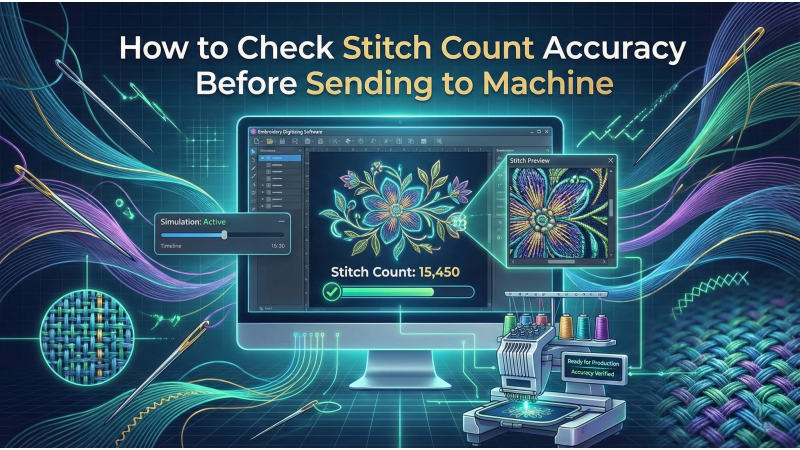
How to Check Stitch Count Accuracy Before Sending to the Machine
Checking stitch count accuracy is one of the most important steps in embroidery production. Whether you run a home craft studio or manage a commercial unit, stitch-count mistakes can lead to thread breaks, wasted material, long production times, and damaged garments. Before any design reaches your embroidery machine, you must ensure the file is technically clean, optimized, and structured correctly. This guide explains every step in detail so you can avoid costly production failures and achieve professional embroidery quality consistently.
To understand stitch behavior in artistic patterns, you can explore creative examples such as mandala applique designs, which show how density, layering, and complexity influence stitch count.
1. Verify Stitch Count in Your Digitizing Software
Your digitizing software provides the first checkpoint for stitch-count accuracy. However, relying on that number alone is risky. A 2-inch motif showing 30,000 stitches or a large 8-inch fill section showing only 5,000 stitches are clear indications of density errors or missing elements.
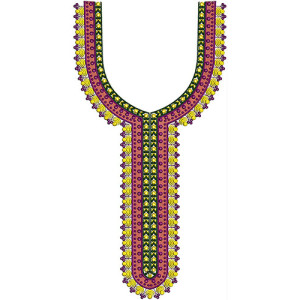
While analyzing stitch counts, avoid accidental duplications, leftover hidden layers, overlapping fills, or unnecessary complexity. If you work with patterns such as high-neck embroidery styles, you will notice how density varies based on detailing and fill type.
2. Inspect Density and Underlay Structure
Density plays a major role in determining stitch count accuracy. Overpacked density can cause thread breaks and fabric damage, whereas low density creates patchy output. Underlay also influences stability and stitch volume. Ensure:
- Satin stitches are not overly tight.
- Fill stitches have balanced density.
- Running stitches do not overlap unnecessarily.
- Underlay types are appropriate and not duplicated.
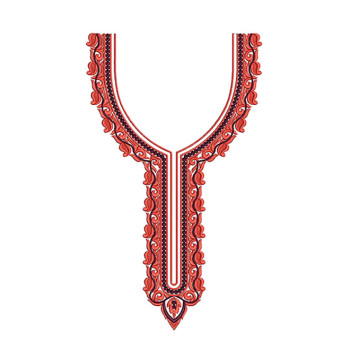
Comparing different styles such as asymmetric neck designs can help digitizers understand how underlay supports unusual shapes or curves without adding excessive stitches.
3. Use Slow Redraw or Stitch Simulation
Slow redraw is one of the most effective tools for catching mistakes. Simulation reveals color overlaps, unnecessary jumps, repetitive needle penetrations, incorrect start/stop points, and hidden density issues. Watching the stitch sequence also helps you predict production time.
To see practical stitching flow, short previews like this YouTube clip — embroidery stitch action (shorts) — offer a quick sense of how travel paths impact speed and tension.
4. Compare Size and Stitch Count Ratio
The ratio of design size to stitch count must always be logical. For example:
- 1-inch monograms: 3,000–4,000 stitches
- 4×4" filled shapes: 12,000–18,000 stitches
- Neckline designs: 40,000–70,000 stitches
If the design exceeds or falls short of expected ranges, you must inspect density, fill patterns, and stitch type assignments. Studying design categories such as warli applique motifs helps you understand how cultural patterns influence stitch volume.
5. Test on Similar Fabric Before Final Production
Even a perfectly digitized file may not behave the same on different fabrics. Testing helps identify puckering, tension issues, underlay weaknesses, or heavy areas. Fabrics such as silk, lycra, denim, and fleece behave differently under dense stitching.
To see how professionals approach testing, here’s a useful video reference: Embroidery testing demonstration.
6. Remove Duplicate or Hidden Stitches
One of the most overlooked issues is duplicate or hidden stitches. These usually occur when merging files, resizing, or using auto-digitizing features. Extra stitches increase stitch count, cause heat buildup, and produce stiff embroidery.
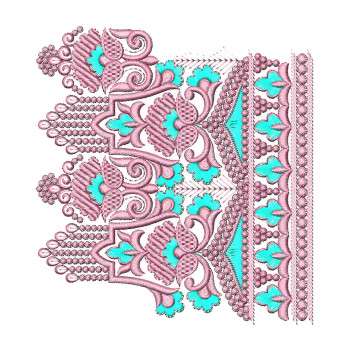
A great way to learn cleanup techniques is by studying structured applique categories like general applique collections, which show how clean pathing and layering reduce unwanted stitch buildup.
7. Check Travel Path Efficiency
An efficient travel path reduces trims, jumps, run time, and misalignment risks. Smooth, logical movement between segments improves stitch flow and prevents unnecessary thread stress.
You can watch how professionals optimize pathing by reviewing workflow videos like machine pathing & movement techniques.

8. Evaluate Stitch Type Assignments
Each stitch type — running, satin, fill — impacts stitch count differently. Applying fill when satin is more suitable will inflate stitch count and make designs unnecessarily heavy. Likewise, using running stitch where satin is needed may weaken the design.
Complex patterns, such as mandala appliques, exemplify how mixed stitch types must be carefully balanced.
9. Review Machine Preview After Export
Exported stitch files sometimes differ from the original software output. Machine previews may add travel stitches or adjust trim points based on format rules. Always compare stitch counts before and after exporting.
10. Final Checklist Before Sending to Machine
- Is the stitch count logical?
- Is density correct for the chosen fabric?
- Are travel paths smooth?
- Are there hidden or duplicated stitches?
- Does the simulation preview look consistent?
- Is the design appropriate for production speed?
Design categories like warli appliques and neckline styles like asymmetric models are great examples to study for improving your digitizing logic and stitch planning.
Conclusion
Accurate stitch count verification prevents broken threads, production delays, and damaged garments. By carefully checking density, underlay, travel paths, stitch types, and hidden elements — and by testing on the correct fabric — you guarantee cleaner, more professional results. Whether you’re working on intricate applique styles or modern neck patterns, stitch count accuracy is the foundation of flawless embroidery production.

Leave a comment